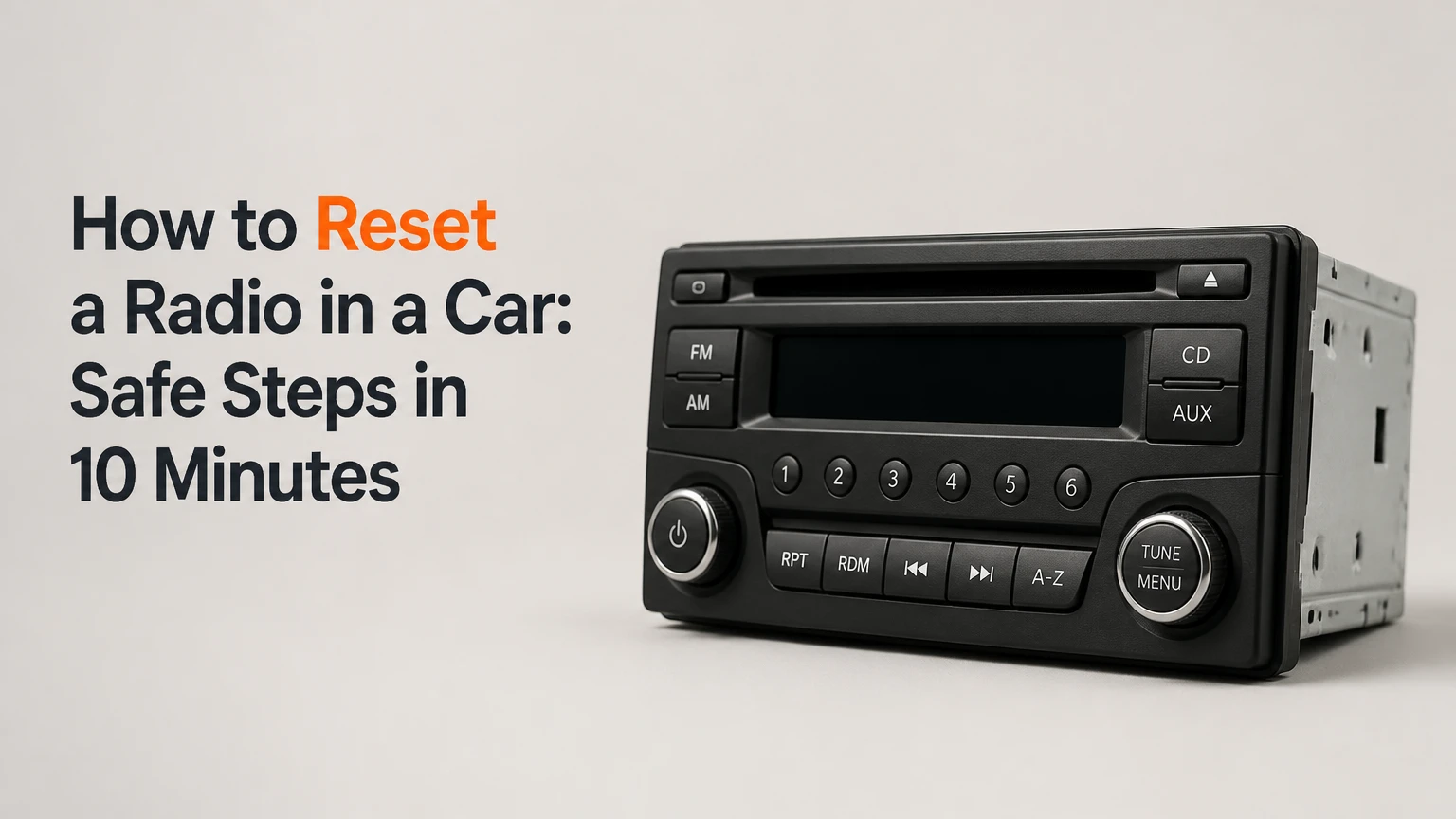
To reset a radio in a car, start with a normal power cycle, then use the system’s restart or factory-reset menu, a model-specific button combination, or an aftermarket unit’s reset button. Disconnecting the negative battery cable is a last resort because it can erase settings, trigger an anti-theft code, and affect other vehicle systems.
Key Facts at a Glance
- A radio reboot usually clears a temporary software freeze without erasing presets or paired phones.
- A factory reset deletes user settings, Bluetooth pairings, navigation data, and sometimes saved radio stations.
- A battery disconnect is not a universal reset procedure and will not repair a blown fuse, failed amplifier, or defective display.
- Factory radios from Honda, Acura, Volkswagen, Audi, and some other brands may require an anti-theft code after power loss.
- Aftermarket Pioneer, Sony, Alpine, and Kenwood stereos often have a physical reset button, but the button’s location and effect vary by model.
- A typical soft reset takes 1-5 minutes; professional diagnosis commonly costs $50-$150 before parts.
What Does a Car Radio Reset Do?
A car radio reset restarts the audio or infotainment computer and may erase stored user data, depending on the reset type. A reboot addresses temporary software faults, while a factory reset restores user preferences to default values; neither procedure can repair damaged hardware, missing power, or defective speakers.
Modern infotainment systems contain a processor, operating software, volatile memory, nonvolatile storage, and communication links to the vehicle network. A frozen touchscreen can result from a failed software process, an interrupted startup, low voltage, or a communication error between the radio and another control module.
The word “reset” covers three different actions:
| Reset type | What it changes | Typical result | Data loss |
|---|---|---|---|
| Power cycle | Removes normal operating state | Radio reboots | None or minimal |
| Soft or forced reboot | Restarts the head unit software | Frozen interface may recover | Usually none |
| Factory reset | Deletes stored user configuration | System returns to setup state | Presets, phones, settings |
| Battery power cycle | Removes vehicle power from circuits | Deep freeze may clear | Clock, adaptives, codes possible |
A battery power cycle does not literally “clear all firmware.” Firmware remains stored in flash memory. The procedure removes operating power and forces the unit to start again, but it cannot replace corrupted firmware or repair a failed memory chip.
Which Reset Method Should You Choose?
Choose the least destructive method that matches the symptom. Use a reboot for a frozen screen, a factory reset for corrupted settings, a pinhole procedure for a compatible aftermarket stereo, and battery disconnection only after checking the owner’s manual and radio-code requirements.
| Symptom or situation | First method | Expected time | Main risk |
|---|---|---|---|
| Screen is slow but responds | Power cycle | 1-2 minutes | Unfinished software process |
| Touchscreen is completely frozen | Model-specific button reboot | 10-30 seconds | Wrong combination |
| Previous owner’s phones remain paired | Factory reset | 5-15 minutes | Deletes all configuration |
| Pioneer, Sony, Alpine, or Kenwood unit | Reset button or menu | 1-5 minutes | Erases presets on some models |
| Radio shows CODE after battery work | Code-recovery procedure | 10 minutes to several days | Lockout after wrong entries |
| Radio is completely dead | Fuse and power diagnosis | 10-30 minutes | Reset will not restore power |
The vehicle’s make, model, year, radio part number, and symptom determine the correct procedure. A button combination that restarts a Ford SYNC system may do nothing on a Toyota Entune unit, and applying an unverified combination repeatedly can activate a security lockout.
Before You Start
Prepare the radio code, owner’s manual, vehicle identification number, and a phone or camera for recording settings. The procedure normally costs $0 and requires no tools unless you use an aftermarket reset button or inspect a fuse.
| Requirement | Typical value | Why it matters |
|---|---|---|
| Vehicle state | Parked, ignition in ACC or ON | Prevents distraction and preserves power |
| Basic reset time | 1-5 minutes | Covers reboot and menu procedures |
| Factory-reset time | 5-15 minutes | Includes setup and pairing |
| Battery-disconnect time | 20-45 minutes | Includes safe shutdown and testing |
| Tool for pinhole button | Plastic probe or supplied tool | Avoids damage to the switch |
| Tool for battery terminal | Usually 10 mm wrench | Size varies by vehicle |
| Typical DIY cost | $0-$15 | Tool purchase may be necessary |
Do not perform a factory reset while driving. Save navigation destinations, equalizer settings, radio presets, and phone contacts if the system allows an export or backup.
Before disconnecting a battery, confirm whether the vehicle has an electrically operated trunk, a security alarm, a stop-start system, or a radio security code. Keep the ignition off and the key away from the vehicle during battery work.
How to Reset a Radio in a Car
The safest sequence is power cycle, software reboot, factory reset, aftermarket reset, and only then battery disconnection. Stop when the symptom is resolved, because a deeper reset creates more data loss without improving a simple frozen display.
Step 1: Perform a Normal Power Cycle
Turn the radio off, switch the ignition completely off, open and close the driver’s door, and wait 2-5 minutes before restarting the vehicle. Some vehicles keep the infotainment module awake after the ignition is removed, so locking the car and allowing its modules to sleep can produce a more complete restart.
- Park the car and engage the parking brake.
- Turn the radio off using its power button.
- Switch the ignition to OFF and remove the key, or press the stop button.
- Close the doors and wait at least 2 minutes.
- Restart the vehicle and test AM, FM, Bluetooth, and media inputs.
You will know the power cycle worked when the manufacturer logo appears normally, the screen responds to touch, and audio returns without repeated freezing. A common mistake is testing the radio immediately after switching the engine off, before the vehicle has shut down accessory power.
Step 2: Use the Factory-Reset Menu
Use the touchscreen’s factory-reset command when the radio responds and you want to remove saved configuration. Menu labels vary, but common paths include Settings, System, General, Reset, Restore Defaults, or Delete Personal Data.
- Turn the ignition to ACC or ON.
- Open Settings or General Settings.
- Select System, Reset, Restore, or Factory Data Reset.
- Read the warning about personal data and confirm.
- Leave the vehicle stationary while the unit restarts.
- Re-enter the time, language, radio presets, phone pairings, and vehicle preferences.
You will know the menu reset worked when the startup wizard appears or the system requests language, time, and phone setup. A frequent mistake is selecting “Reset audio settings” when the problem requires “Factory data reset”; the first may change equalizer and balance values without restarting the operating system.
Factory resetting an integrated system can also remove navigation history, user profiles, Wi-Fi credentials, voice-training data, and smartphone permissions. It normally does not remove vehicle firmware, immobilizer programming, or the vehicle’s engine-control calibration.
Step 3: Force-Reboot a Frozen Factory Radio
Use only the button combination documented for the specific vehicle or head-unit model. Many radios reboot when the power or volume control is held for 10-20 seconds, but other systems use combinations involving Seek, Forward, Home, or Phone buttons.
- Park the vehicle and turn the ignition to ACC or ON.
- Hold the documented power, volume, or reset combination.
- Continue for the stated period, commonly 10-20 seconds.
- Release the controls when the screen goes dark or the logo returns.
- Wait for the system to finish booting before pressing another button.
You will know the forced reboot worked when the display restarts without showing a security-code prompt and the previous user profile remains available. The common mistake is treating a brand-specific instruction as a universal rule; “Power plus Forward Skip” is not a guaranteed combination across Ford, Honda, Kia, Hyundai, Toyota, General Motors, or Stellantis systems.
Examples include the following, but verify the owner’s manual first:
| System or brand example | Common restart control | Typical hold time | Verification |
|---|---|---|---|
| Ford SYNC examples | Volume Down plus Seek Forward | 5-10 seconds | Ford logo returns |
| Honda or Acura examples | Power control | About 5 seconds | Reboot prompt appears |
| Kia systems | Reset pin or documented control | About 5-10 seconds | Kia startup screen |
| Toyota systems | Model-specific power procedure | 10-20 seconds | Toyota logo returns |
| GM infotainment examples | Model-specific power or Home control | 10-20 seconds | Chevrolet, Buick, or GMC logo |
These examples are not interchangeable. A 2024 vehicle can use different software from a similarly named 2018 model.
Step 4: Reset a Compatible Aftermarket Stereo
Aftermarket head units from Pioneer, Sony, Alpine, Kenwood, JVC, and similar manufacturers often include a small RESET button behind the detachable faceplate or near the front USB and auxiliary connections. The reset may erase presets and Bluetooth data, so photograph the setup first.
- Turn the ignition to ACC.
- Locate the button labeled RESET in the owner’s manual.
- Remove the detachable faceplate only if the manual permits it.
- Press the button with the supplied plastic tool or a blunt plastic probe.
- Hold for the specified period, commonly 2-10 seconds.
- Reattach the faceplate and allow the unit to initialize.
You will know the aftermarket reset worked when the display returns to its initial setup state or the unit restarts and accepts input. Do not insert a sewing needle, thumbtack, or metal pick into an unidentified hole, because adjacent openings can contain microphones, indicator LEDs, or delicate internal components.
Some aftermarket radios have two separate functions: a brief reset that restarts the processor and a longer initialization that erases settings. The model manual, not the button’s appearance, determines which function occurs.
Step 5: Disconnect the Negative Battery Cable Only as a Last Resort
Battery disconnection can force a power cycle when the radio will not respond, but it should not be the first choice. The procedure may trigger an anti-theft code, reset the clock and window behavior, erase transmission adaptives, and create warning lights that require a scan-tool relearn.
- Confirm the radio code and vehicle-specific battery procedure.
- Switch off the ignition, remove the key, and keep the key away.
- Wait several minutes for accessory systems to shut down.
- Identify the negative terminal marked “-” or connected to the black cable.
- Loosen the negative terminal nut and isolate the cable from the post.
- Wait the period specified by the manufacturer, often 5-15 minutes.
- Reconnect the negative cable and tighten it securely.
- Start the vehicle and test the radio before driving.
You will know the power cycle worked when the radio boots and the vehicle shows no new electrical symptoms. A common mistake is assuming that waiting 30 minutes drains every capacitor and guarantees a reset; many infotainment faults are stored in nonvolatile memory and survive a battery disconnect.
Disconnect the negative terminal first if battery removal is necessary. Avoid allowing a metal wrench to bridge a terminal and body metal, and never work near an exposed battery with jewelry or loose tools.
What Happens After a Factory Reset?
A factory reset commonly deletes Bluetooth pairings, user profiles, audio preferences, navigation destinations, and radio presets. CarPlay and Android Auto permissions may also need to be approved again, while the vehicle’s firmware and immobilizer programming normally remain unchanged.
| Item after reset | Typical status | Recovery action |
|---|---|---|
| AM/FM presets | Deleted or restored to defaults | Scan and save stations |
| Bluetooth phones | Deleted | Forget the car on the phone, then pair again |
| Apple CarPlay permission | May be revoked | Reconnect by USB or wireless setup |
| Android Auto permission | May be revoked | Reauthorize the phone |
| Equalizer and balance | Default values | Re-enter preferred settings |
| Navigation destinations | Often deleted | Re-enter saved locations |
| Vehicle firmware | Usually retained | No action unless update failed |
| Anti-theft code | May be requested after power loss | Enter the verified code |
For Bluetooth problems, delete the old vehicle entry from the phone before pairing again. Keeping a corrupted phone profile on the smartphone can cause the same connection failure after the radio has been successfully reset.
What If the Radio Displays CODE or LOCKED?
A CODE or LOCKED message means the security system is requesting authentication after power interruption or an incorrect entry. Do not guess codes, because some radios impose timed lockouts after repeated failures.
Check the owner’s manual, glove-box labels, service records, or documents supplied with the vehicle. A manufacturer or authorized dealer may require the VIN, radio serial number, registration, and proof of ownership before releasing a code.
| Display message | Likely meaning | Correct next action |
|---|---|---|
| CODE | Security code required | Retrieve the documented code |
| ENTER CODE | Unit accepts an entry | Enter the verified sequence once |
| ERR or ERROR | Incorrect entry detected | Stop and follow lockout instructions |
| LOCKED | Timed or permanent security lock | Leave powered as instructed, then contact dealer |
| No display | Power, fuse, or hardware problem | Test supply and ground circuits |
The radio serial number may appear on an information screen or require removal of the head unit, depending on the manufacturer. Third-party code websites are risky when they request payment without proof of ownership or provide codes based only on a loosely matched model description.
Can a Reset Fix No Sound or a Dead Display?
A reset can fix software-related no-sound or display faults, but it cannot repair a blown fuse, failed amplifier, damaged wiring harness, bad screen, or defective radio module. Test the symptom after restarting, then diagnose power, source selection, mute status, and amplifier operation before repeating resets.
| Symptom after reset | More likely cause | First diagnostic check |
|---|---|---|
| No display and no buttons | Radio fuse or power feed | Inspect RADIO, AUDIO, ACC fuses |
| Display works but all speakers are silent | Amplifier, mute, or network fault | Test source, fade, balance, amplifier fuse |
| One speaker is silent | Speaker or wiring fault | Check balance and door wiring |
| Radio reboots repeatedly | Low voltage or software fault | Measure battery voltage and charging system |
| Backup camera works, audio fails | Separate audio or amplifier path | Check amplifier and audio module |
| Bluetooth fails but FM works | Pairing or phone permission fault | Delete and re-pair device |
| Display is cracked or dim | Screen hardware failure | Inspect module and connector |
A typical healthy resting vehicle battery measures about 12.4-12.7 volts, while a charging system commonly measures about 13.5-14.8 volts with the engine running. These are diagnostic reference ranges, not substitutes for the vehicle service manual, because smart charging systems can vary voltage deliberately.
Do not replace a fuse with a higher-rated fuse. If the replacement fails again, a short circuit or failing module requires diagnosis.
Time, Cost, and Difficulty
A normal reboot usually takes 1-5 minutes and costs nothing, while a factory reset takes about 5-15 minutes because the owner must restore settings. A dealer or car-audio shop commonly charges $50-$150 for diagnosis or code assistance, excluding replacement parts.
| Service or repair | Typical DIY time | Typical professional price | Main variable |
|---|---|---|---|
| Soft reboot | 1-5 minutes | $0-$50 | Whether diagnosis is needed |
| Factory reset and setup | 5-15 minutes | $50-$100 | Data and account reconfiguration |
| Fuse replacement | 10-30 minutes | $40-$100 | Fuse access and root cause |
| Radio-code recovery | 10 minutes to several days | $0-$100 | Brand and ownership verification |
| Battery power cycle | 20-45 minutes | $50-$150 | Vehicle access and scanning |
| Head-unit diagnosis | 30-90 minutes | $75-$150 | Scan-tool and trim removal time |
These are typical North American ranges, not fixed prices. European vehicles, premium audio systems, integrated navigation units, and modules requiring dealer programming can cost more.
Common Mistakes and How to Fix Them
Most failed radio resets result from choosing a destructive method too early, using the wrong model instruction, or confusing a power fault with a software fault. Recovery depends on the exact mistake.
- Factory-resetting before recording settings: Rebuild presets, Bluetooth pairings, and equalizer values manually, then save the model-specific setup procedure.
- Guessing an anti-theft code: Stop entering numbers and obtain the code through the manufacturer or dealer using ownership documents.
- Using the wrong pinhole: Stop pressing immediately, inspect the manual, and check whether the opening is a microphone or indicator port.
- Disconnecting the positive terminal first: Reconnect safely, inspect for blown fuses, and do not continue if sparks, heat, or battery damage appear.
- Repeating a forced reboot continuously: Allow the unit several minutes to complete startup; repeated interruptions can leave software updates incomplete.
- Replacing a blown fuse repeatedly: Install only the specified amperage once, then seek diagnosis if it fails again.
A memory-saver device can preserve some vehicle settings during battery replacement, but it is not universally safe. Do not connect one unless the vehicle manufacturer or tool instructions approve it, particularly on vehicles with restraint systems and extensive electronic modules.
When Will a Reset Not Fix the Radio?
A reset will not correct physical damage, a missing accessory feed, a failed ground, a defective amplifier, water intrusion, or incompatible aftermarket wiring. Persistent failure after one correct reboot and one appropriate reset indicates a diagnostic problem rather than a reset problem.
Stop DIY work and obtain professional help when the radio overheats, smells burned, repeatedly blows its fuse, shows smoke, loses the backup camera, or causes unrelated warning lights. Integrated systems can control climate displays, vehicle settings, emergency calling, and camera functions, so removing the module without a wiring diagram can create additional faults.
An aftermarket stereo that loses memory every time the ignition switches off often has its constant battery and accessory wires reversed or incorrectly connected. Resetting the head unit cannot correct that installation error.
Which Procedure Fits Your Situation?
Use a forced reboot for a frozen screen, a factory reset for unwanted stored data, an aftermarket reset button for a compatible replacement stereo, and electrical diagnosis for a dead or repeatedly failing unit. Battery disconnection belongs at the end of the decision path, not at the beginning.
| User situation | Recommended action | Avoid |
|---|---|---|
| Frozen touchscreen in a daily driver | Model-specific forced reboot | Battery disconnect while unprepared |
| Used car with old phone profiles | Factory data reset | Deleting only one visible pairing |
| Pioneer or Kenwood stereo | Manual-listed reset button | Unidentified metal pinhole |
| Radio asks for CODE | Verify code and ownership | Guessing several combinations |
| No power after battery replacement | Inspect fuse and voltage | Repeating the same reset |
| Audio cuts out with a working display | Check amplifier and wiring | Assuming the speakers need resetting |
Frequently Asked Questions
Will resetting my car radio erase saved stations?
A forced reboot usually preserves saved stations, but a factory data reset may delete them. Battery disconnection can also erase presets on older radios or systems with limited memory. Record station frequencies before selecting Restore Factory Defaults, particularly if the radio contains separate AM, FM, and satellite-radio preset banks.
Can I reset a car radio without the owner’s manual?
You can try a normal power cycle without documentation, but model-specific button combinations and security procedures require reliable instructions. Search the manufacturer’s official manual using the vehicle year, model, trim, and radio name. Avoid generic button combinations when the screen displays CODE, LOCKED, or ERROR.
Why does my radio keep freezing after every reset?
Repeated freezing usually indicates low system voltage, failed storage, overheating, an incomplete software update, or a communication fault on the vehicle network. Measure battery and charging voltage, inspect the relevant fuse, and check for manufacturer service bulletins before disconnecting the battery again.
Will a battery disconnect reset the check-engine light?
A battery disconnect may clear some temporary diagnostic information, but many vehicles retain emissions-related codes or relearn them quickly. It can also erase useful freeze-frame data and readiness monitors, causing an emissions test failure until the drive cycle completes. Use a scan tool for diagnostic codes instead.
Should I reset the radio while the engine is running?
Use ACC or ON as the vehicle manual specifies, and keep the vehicle parked. A running engine provides stable charging voltage, but it adds noise, fuel use, and distraction without being necessary for most menu or button resets. Never perform the procedure while driving.
The Bottom Line
To reset a radio in a car, begin with a complete power cycle, then use the documented forced-reboot or factory-reset procedure for the exact head unit. Use an aftermarket reset button only when the manual identifies it, and disconnect the negative battery cable only after confirming the security code and accepting the possible loss of vehicle settings. A reset is appropriate for software freezes, not for blown fuses, failed amplifiers, damaged displays, or wiring faults.