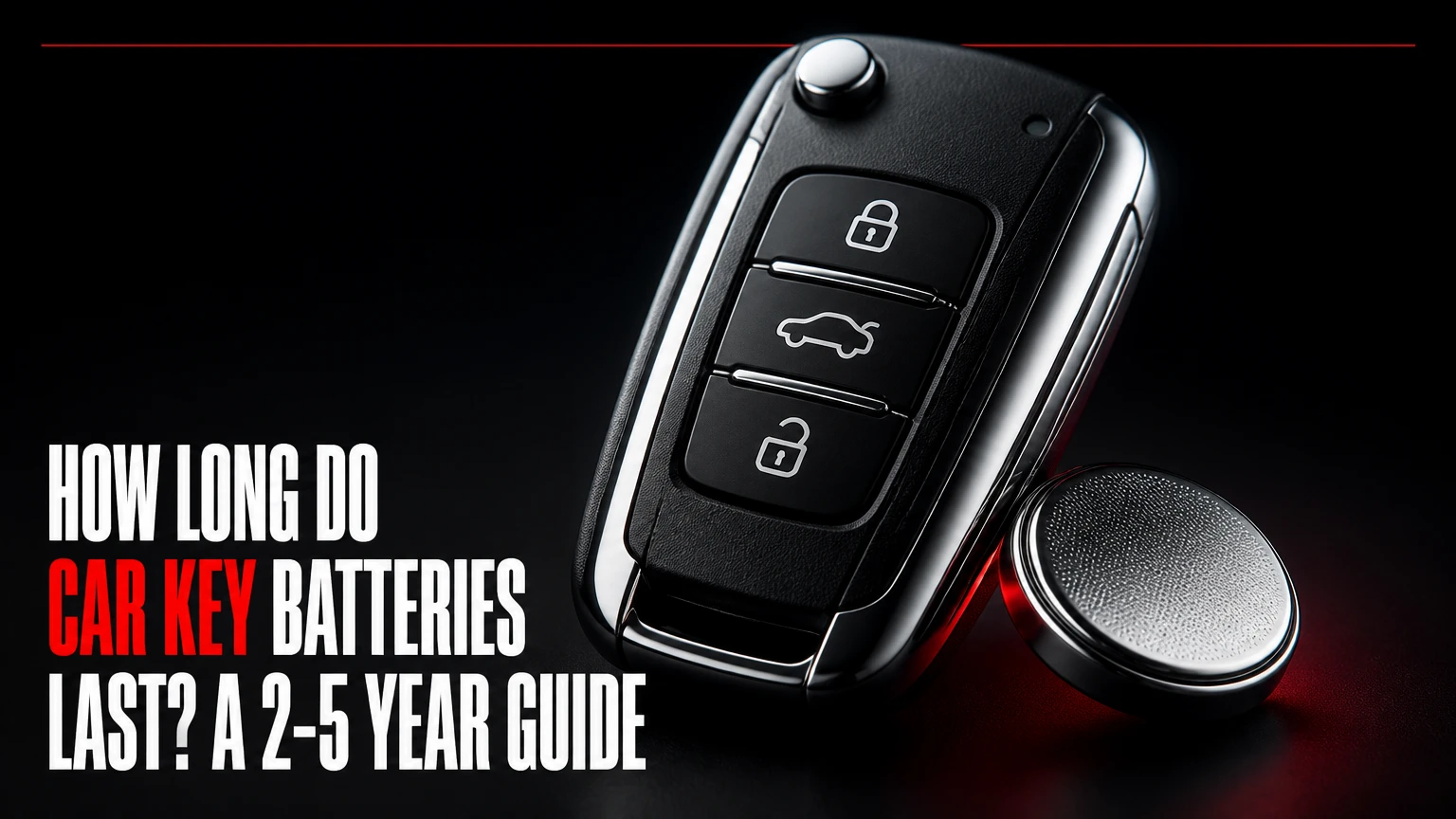
A car key battery typically lasts 2-5 years, although a button-operated remote fob often reaches 3-6 years while a proximity smart key commonly lasts 1.5-3 years. Battery type, daily button presses, passive keyless-entry communication, temperature, water exposure, and storage distance from the vehicle determine the actual lifespan.
Key Facts at a Glance
- A car key fob normally uses a 3-volt lithium coin cell, most often a CR2032, CR2025, CR2016, or CR1620.
- Traditional remote fobs generally last longer because they transmit only after a button press.
- Proximity smart keys can drain faster because the vehicle and key periodically exchange low-frequency presence signals.
- A reduced operating range is a stronger practical warning sign than a coin-cell voltage reading taken without a load.
- Replacing the battery usually does not erase key programming, but the owner’s manual controls the procedure for each vehicle.
- A dead smart-key battery does not always prevent driving because many vehicles include a hidden blade and a backup transponder location.
How Long Do Car Key Batteries Last in Practice?
Car key batteries last 2-5 years in typical use, but the system design creates the largest difference. A basic remote with lock, unlock, trunk, and panic buttons may remain usable for 4-6 years. A passive-entry, push-button-start fob more often lasts 1.5-3 years because it participates in proximity detection even when the driver never presses a button.
| Key system | Typical lifespan | Typical daily use | Main drain source |
|---|---|---|---|
| Mechanical key with no remote | No coin cell | 0 transmissions | No electronic fob |
| Button-only remote | 4-6 years | 4-12 button presses | RF transmission and standby leakage |
| Remote with remote start | 3-5 years | 6-20 button presses | Extra RF commands |
| Passive smart key | 1.5-3 years | 0-20 button presses | Presence detection and RF communication |
| Aftermarket alarm remote | 1-3 years | 6-20 button presses | Older electronics or high standby current |
These are typical planning ranges, not guarantees. A premium, fresh cell in a dry fob can exceed the range, while a damaged button, contaminated circuit board, or key stored beside a vehicle can shorten life to months.
The alphanumeric code does not predict lifespan by itself. A CR2032 generally holds more energy than a CR2025 because the cells have the same 20-millimeter diameter but different thicknesses and capacities. The fob’s electrical design, not brand reputation alone, determines how much of that capacity becomes usable.
Why Does a Car Key Battery Drain?
A car key battery drains when the fob supplies current to its processor, receiver, indicator circuits, or radio transmitter. Button-only remotes spend most of their time in a low-power state and wake briefly to send a coded UHF signal, commonly around 315 MHz or 433.92 MHz depending on the market and vehicle.
Passive smart keys use a more complicated exchange. The vehicle emits low-frequency signals around the car, and the fob periodically listens or responds so the car can determine whether the key is nearby. The fob is not necessarily transmitting continuously, but its repeated wake-and-response cycles consume more energy than a conventional remote.
A key stored close to the vehicle can experience more frequent communication. In some vehicles, the keyless system also creates a security concern because relay equipment can extend the apparent distance between a key and car. A Faraday pouch can reduce radio communication, but only a properly shielded pouch that is closed and tested will block the relevant signals.
What changes battery life?
| Factor | Effect on lifespan | Practical example |
|---|---|---|
| Button presses | Moderate to high | 20 presses per day uses more energy than 4 |
| Proximity entry | High | Key communicates while carried near the parked vehicle |
| Temperature | Moderate to high | Cold increases voltage sag; heat accelerates aging |
| Water or humidity | High | Corrosion can create leakage paths on the circuit board |
| Stuck button | Very high | Continuous transmission can drain a cell in days or weeks |
| Cell age at purchase | Moderate | Old inventory may have reduced reserve capacity |
| Fob damage | Variable | Cracked seals allow contamination and intermittent contacts |
One often-missed failure is a mechanically stuck button. A key fob that repeatedly sends a lock or panic command can exhaust a new battery quickly, making the battery appear defective when the switch is the real problem.
Which Battery Does a Car Key Fob Use?
Most car key fobs use a 3-volt lithium manganese dioxide coin cell. The correct part number is printed on the old battery, molded into the fob, listed in the owner’s manual, or specified in the manufacturer’s parts catalog.
| Battery | Diameter | Thickness | Typical nominal capacity | Common fit |
|---|---|---|---|---|
| CR2032 | 20 mm | 3.2 mm | 220-240 mAh | Many Ford, Toyota, Honda, Chevrolet, Subaru, and Volkswagen fobs |
| CR2025 | 20 mm | 2.5 mm | 160-170 mAh | Some Mazda, Mercedes-Benz, Nissan, and Volkswagen fobs |
| CR2016 | 20 mm | 1.6 mm | About 90 mAh | Some older Toyota and Lexus remotes |
| CR1620 | 16 mm | 2.0 mm | About 75 mAh | Selected BMW, Audi, Suzuki, Honda, and motorcycle remotes |
Capacity figures are typical manufacturer values and vary with discharge conditions. A CR2032 is not automatically interchangeable with a CR2025. Both cells measure 20 millimeters across, but the CR2032 is 0.7 millimeters thicker and can bend contacts, prevent the housing from closing, or damage the holder.
The battery code follows a useful dimensional convention. “20” indicates approximately 20 millimeters in diameter, and “32” indicates approximately 3.2 millimeters in thickness. The code identifies physical dimensions and chemistry family; it does not authorize substitution.
Can you use a rechargeable coin cell?
A rechargeable lithium-ion coin cell is not a safe default replacement for a 3-volt CR-series primary cell. Rechargeable cells may have a different nominal voltage, charging requirement, discharge profile, and physical construction. Use the exact primary-cell type specified by the vehicle or fob manufacturer.
What Are the Signs of a Weak Key Fob Battery?
A weak car key battery usually causes declining range, delayed responses, or intermittent operation before complete failure. The most useful real-world test is whether the fob works reliably from its normal distance, because a coin cell can show acceptable open-circuit voltage while collapsing when the transmitter draws current.
Common warning signs include:
- The operating range becomes unusually short. A remote that previously worked from 30-50 feet may require the driver to stand beside the door.
- The vehicle responds after multiple presses. Repeated commands can indicate low voltage, worn switches, or radio interference.
- The fob works inconsistently in cold weather. Lithium coin cells have greater internal resistance at low temperatures, so voltage can sag during transmission.
- The instrument cluster displays a low-key-battery message. Some vehicles monitor the fob’s response or infer battery condition from communication quality.
- The remote works only when held against the vehicle. This points toward low transmit power, a failing cell, or a damaged antenna.
- The spare key performs better. Comparing two keys removes vehicle-side interference from the diagnosis.
A multimeter reading near 3.0 volts does not prove that the cell is healthy. A coin cell should be assessed under an appropriate load, and inexpensive consumer multimeters generally do not reproduce the short radio-transmitter pulse. Range and comparison testing are often more informative for a car owner.
How Do You Replace a Car Key Battery?
Replacing a car key battery usually takes 2-10 minutes, costs about $3-$10 for a quality cell, and does not erase the fob’s pairing in most vehicles. The exact opening point, battery orientation, and emergency-start procedure vary, so the owner’s manual should take priority over a generic video.
Before you start
| Requirement | Typical specification |
|---|---|
| Time | 2-10 minutes |
| Difficulty | Easy, but plastic clips are fragile |
| Battery | One exact-match 3-volt CR cell |
| Tools | Mechanical key, plastic pry tool, or small flat screwdriver |
| Protection | Clean dry surface and eye protection if the case is damaged |
| Disposal | Battery-recycling collection point or household hazardous-waste program |
Step 1: Confirm the replacement number
Read the marking on the installed cell or check the vehicle manual. Buy a sealed cell from a recognized battery manufacturer or a retailer with stock rotation, rather than choosing a thicker or thinner cell because it appears similar.
Success checkpoint: The new cell has the same code as the old one.
Common mistake: Assuming every 20-millimeter coin cell is interchangeable.
Step 2: Remove the emergency key
Many smart fobs have a sliding release on the rear cover. Hold the release, pull out the metal emergency blade, and inspect the exposed slot for the case-opening notch.
Success checkpoint: The emergency blade comes out without force.
Common mistake: Prying at the seam before removing the blade, which can stress the shell.
Step 3: Separate the fob housing
Insert a plastic pry tool, a coin, or the specified key blade into the notch. Twist gently along the seam instead of forcing one corner, because concentrated pressure can break the retaining clips or deform the waterproof gasket.
Success checkpoint: The two halves separate evenly and the circuit board remains seated.
Common mistake: Using a sharp knife, which can slip into the board or cut the seal.
Step 4: Remove and replace the cell
Note the polarity before removal. In many fobs the positive side faces upward, but the retaining bracket may require another orientation. Release the cell from its clip without levering against delicate solder joints.
Success checkpoint: The cell is flat, secure, and oriented exactly like the original.
Common mistake: Bending the spring contact or installing the battery upside down.
Step 5: Reassemble and test
Snap the shell together, reinstall the mechanical blade, and test lock, unlock, trunk, panic, passive entry, and push-button starting if equipped. Test both close to and several meters from the vehicle.
Success checkpoint: Every supported function works on the first or second press.
Common mistake: Testing only the lock button and missing a damaged trunk or panic switch.
Does Changing the Battery Reprogram the Key?
Changing the battery normally does not erase a car key’s programming because the vehicle identification and immobilizer data are stored in nonvolatile memory or a separate transponder. Some models may require a resynchronization sequence after power loss, especially if buttons were pressed while the battery was removed.
A key fob battery replacement is different from key programming. Programming pairs a new or unrecognized key with the vehicle’s immobilizer system; replacing the cell supplies power to an already paired circuit. If the remote remains inoperative after a correctly installed battery, consult the manual for synchronization instructions before paying for a new key.
A failed remote function does not always mean the immobilizer has failed. The metal blade may still unlock the door, and the backup transponder may still authorize starting. Vehicle-specific procedures matter more than general assumptions.
What Happens When a Smart-Key Battery Dies?
A dead smart-key battery commonly disables remote buttons and passive unlocking, but many vehicles can still be entered and started. The hidden mechanical blade opens the driver’s door, while the vehicle’s backup reader detects the fob at a specified location, often directly against the start button, inside a console slot, or in a marked cupholder.
| Vehicle feature | Typical dead-fob response | Owner action |
|---|---|---|
| Hidden metal blade | Manual driver-door entry | Remove blade from fob |
| Push-button start | Backup transponder reader remains active | Hold fob at marked backup position |
| Conventional ignition cylinder | Key blade or separate ignition key works | Insert mechanical key |
| Low-key warning | Cluster reports weak or missing fob signal | Replace cell soon |
| No backup location identified | Procedure differs by model | Check owner’s manual |
The backup transponder may require no coin-cell power, but not every vehicle uses the same technology or reader location. A completely damaged fob, a missing immobilizer chip, or a vehicle battery that is also discharged can prevent starting despite a fresh coin cell.
Why Does a New Key Fob Battery Die Quickly?
A new key fob battery that dies within weeks or months usually indicates abnormal drain, poor inventory, incorrect fit, or fob damage. Normal car key batteries should not require replacement every few months under ordinary use.
Check these failure modes in order:
- Stuck or compressed button: Remove the fob from a tight case and verify that every button returns fully.
- Key stored beside the car: Move the key several meters away, or use a tested Faraday pouch for a passive-entry system.
- Water intrusion: Look for green corrosion, white residue, or a fogged interior after rain, washing, or pocket humidity.
- Wrong battery thickness: A forced CR2032 can deform its holder and create unreliable contact.
- Old or counterfeit inventory: Compare packaging, date information, and physical markings; replace questionable cells with a fresh sealed product.
- Damaged circuit board: A cracked shell or liquid contamination can create parasitic current draw.
- Vehicle-side fault: A malfunctioning passive-entry antenna or body-control module can increase communication activity.
A new cell also can be drained by leaving the protective insulating tab in place or by installing it against contaminated contacts. Clean accessible metal contacts with isopropyl alcohol and allow them to dry fully before installation.
How Do Temperature and Storage Affect Lifespan?
High heat accelerates chemical aging, while low temperatures increase internal resistance and can make a marginal cell fail temporarily. Avoid leaving a key fob on a dashboard, in a hot parked vehicle, or outdoors below freezing for long periods.
A cold-weather failure does not always mean the battery has reached zero capacity. If the fob works again after warming in a pocket, replace the cell because its reserve voltage is already inadequate for reliable transmission. Do not heat a coin cell with a flame, hair dryer, radiator, or direct heater.
Store spare cells in their original packaging at room temperature and keep them away from loose metal objects. Do not carry an unprotected coin cell in a pocket with coins or keys, because short-circuiting can generate heat and damage the cell.
How Much Does Key-Fob Battery Replacement Cost?
A DIY car key battery replacement typically costs $3-$10, a locksmith or independent repair shop commonly charges about $10-$25, and a dealership visit may cost approximately $15-$50 depending on labor policy and vehicle brand.
| Replacement route | Typical price | Typical time | Best use case |
|---|---|---|---|
| DIY, single premium cell | $3-$10 | 2-10 minutes | Accessible fob with visible battery |
| Hardware or automotive retailer | $5-$15 | 5-20 minutes | Owner wants installation help |
| Automotive locksmith | $10-$25 | 5-15 minutes | Damaged shell or difficult case |
| Dealership service desk | $15-$50 | 10-30 minutes | Model-specific procedure or warranty visit |
| Complete replacement fob | $100-$500+ | 30 minutes to several days | Lost, destroyed, or unprogrammable key |
Prices vary by region, vehicle brand, and whether the provider includes testing. A battery replacement should not be priced like a replacement key. Ask whether the quoted fee includes only a coin cell or also programming, shell repair, and diagnostic work.
How Can You Make a Car Key Battery Last Longer?
You can extend car key battery life by keeping the fob dry, preventing accidental button presses, storing passive keys away from the parked vehicle, and replacing cells before a long trip. A Faraday pouch helps only with passive-entry communication and should be tested with the actual vehicle.
Use these practitioner rules:
- Keep the key at least several meters from the car when parked at home, especially with passive unlocking.
- Replace a worn silicone case if it presses buttons continuously.
- Do not attach the fob to heavy metal objects that can damage the shell or buttons.
- Keep the fob out of direct sun and away from washing machines, rain, and high humidity.
- Carry a spare key, but store it separately so both keys are not lost together.
- Test the emergency blade and backup start location before a trip, not during a roadside failure.
- Replace the battery proactively around the two-year mark for high-use smart keys.
A Faraday pouch is not a universal cure. It cannot repair a stuck switch, restore a corroded board, or solve a vehicle antenna fault. It also may prevent passive unlocking while the key remains inside the pouch, which is expected behavior rather than a defect.
What Should You Do With Used Coin Cells?
Used lithium coin cells should go to a battery-recycling collection point or the disposal program required in your area. Tape the positive and negative faces with nonconductive tape if local guidance recommends it, and never place loose coin cells with metal scraps.
Keep batteries away from children and pets. Swallowed button or coin cells can cause severe internal injury rapidly, so contact emergency medical services or a poison-control center immediately if ingestion is suspected.
Frequently Asked Questions
Can a car key battery last ten years?
A car key battery can occasionally remain functional for many years in a lightly used button-only remote, but ten years is outside a sensible planning range. Cell age, shelf storage, temperature, and seal condition reduce reserve capacity even when the fob receives very few commands.
Should you replace both key fob batteries at the same time?
Replace both key fob batteries together if both keys are the same age and used similarly, particularly before a long journey. If one spare key has remained sealed and unused, test it first and replace it only when its range or dashboard warning indicates reduced capacity.
Can a low key battery stop the car from starting?
A low key battery can stop remote unlocking or passive starting on some vehicles, but many cars retain a backup transponder reader. Hold the fob against the marked start-button area or place it in the model-specific backup slot, then replace the coin cell.
Why does my key work only near the car?
A key that works only near the car has reduced transmit power, a weak cell, a damaged antenna, or radio interference. Install the exact new battery first; if range remains poor with a second key, investigate vehicle-side interference or a receiver fault.
How often should a high-use smart key battery be replaced?
Replace a high-use smart-key battery about every two years as preventive maintenance, even if the range remains acceptable. Heavy daily driving, passive entry, remote start, hot climates, and keys stored near the vehicle justify the shorter interval.
The Bottom Line
Car key batteries last 2-5 years on average. Button-only remotes often reach 4-6 years, while passive smart keys commonly last 1.5-3 years because proximity communication increases energy use. Use the exact coin-cell number, replace it when range declines or warnings appear, and keep spare keys away from heat, moisture, and parked vehicles. If a new battery fails quickly, inspect the buttons, contacts, shell, and vehicle-side keyless-entry system rather than repeatedly buying replacement cells.